
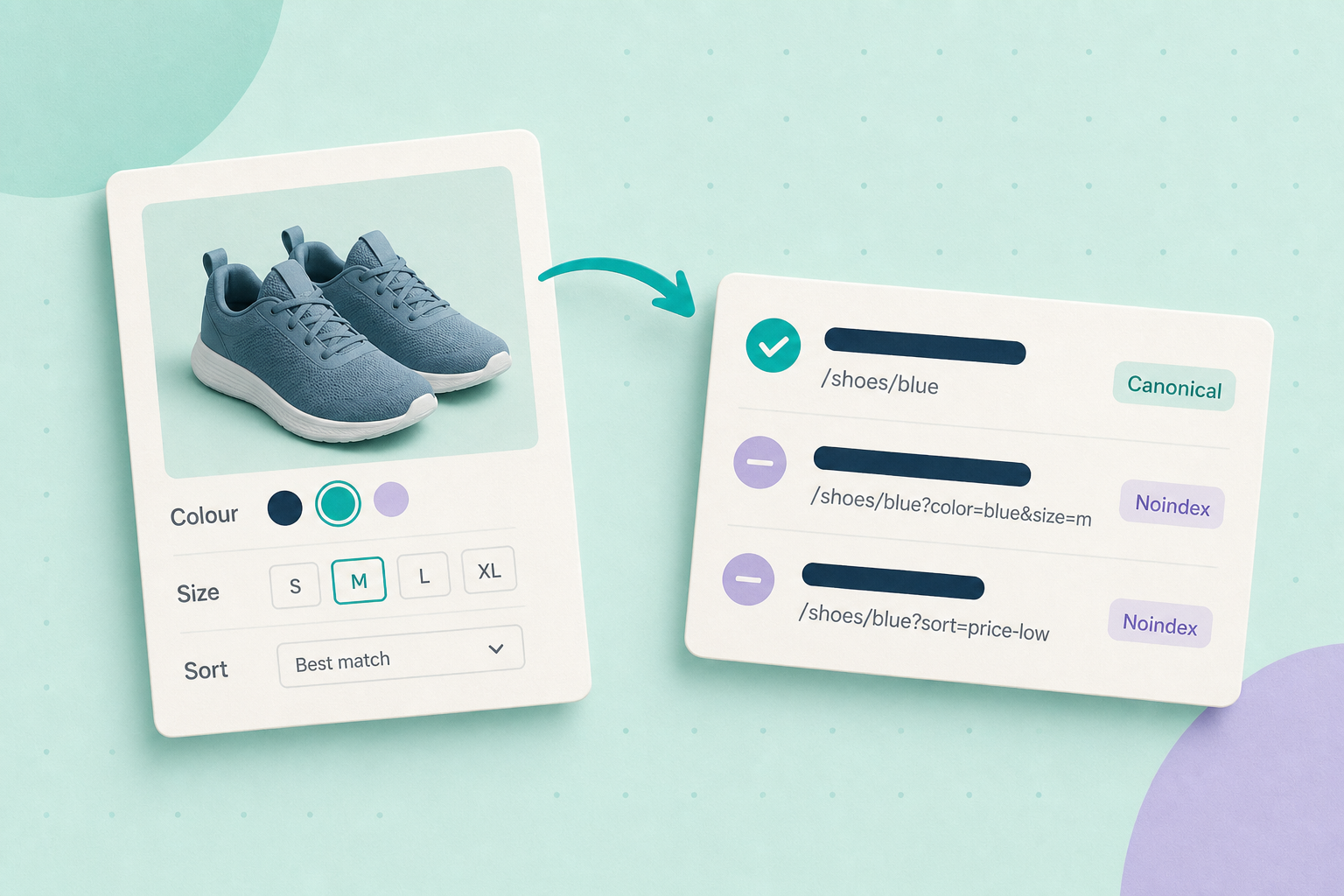
If your shop generates many filter combinations (for example /toys?color=blue&age=3), start by deciding which filtered pages actually add user value. In most shops only a small subset of combinations are worth indexing; the rest cause crawl waste and near‑duplicate pages. The quickest useful action is: pick one category, inspect a few filtered pages and confirm whether they include a rel=”canonical” tag pointing to the preferred category or to a unique, valuable URL.
What this guide covers
Why uncontrolled facets harm crawl budget and indexing
Uncontrolled faceted navigation can create thousands of parameterised URLs that look like separate pages to search engines. That can: increase crawl budget use, surface near‑duplicate content, and make it harder for search engines to find the single canonical page you want indexed. Google’s faceted navigation guidance explains how these parameterised pages often produce low‑value crawl signals and lists practical controls to prevent unnecessary crawling: Google: Faceted navigation.
Quick checks to run now
- Open a representative category and a few filtered URLs in your browser (or fetch their HTML with a crawler).
- View page source and look for a rel=”canonical” tag. Does it point to the main category or to the filtered URL itself? If it points to the main category, filtered pages are being consolidated. See Google’s canonical guidance: Consolidate duplicate URLs.
- Inspect the filter controls in the page’s HTML. Are filters normal
<a href="...">links, or JS buttons that change the URL via pushState? Links are crawlable by default; JS buttons that don’t render as<a>elements are not followed by crawlers unless they generate visible crawlable links. - Check whether filter links include rel=”nofollow” (treated as a hint by Google) or other rel values. Google documents rel values and how they’re used as hints: Google — Qualify outbound links.
- Confirm any robots.txt rules that match parameterised paths, but use robots.txt with caution: blocking prevents crawling but does not itself establish canonicalisation. Google warns not to rely on robots.txt to indicate the preferred URL: Consolidate duplicate URLs (robots.txt note).
- Optionally run a small crawl of the category with a site crawler (Screaming Frog, Sitebulb or similar) limited to a handful of pages to see how many filter URLs are discoverable and whether they return 200 HTML with distinct content.
Controls and when to use them
Use one or a combination of the following, chosen by the value of the filtered pages:
- Rel=”canonical” consolidation — If filtered pages add no unique user value, set rel=”canonical” on the filtered page to the main category (or preferred URL). This tells search engines which version you prefer; it’s the recommended consolidation method in Google’s guidance: Consolidate duplicate URLs.
- Make filter controls non‑crawlable UI — Render filters as buttons or JS controls that update the browser URL with history.pushState without creating regular
<a href>links to every combination. That prevents crawlers from discovering a large space of parameter combinations via links. Google’s faceted navigation guidance recommends preventing crawling when combinations aren’t useful: Faceted navigation. - Rel=”nofollow” on filter links — If you must keep
<a href>links but don’t want crawlers to follow them, add rel=”nofollow” (or another rel hint). Google treats rel values as hints, not hard rules: see Qualify outbound links. - Robots.txt blocking (use with caution) — You can block parameter patterns in robots.txt, but this only blocks crawling; it doesn’t communicate canonical preference and can hide content from inspection. Google specifically warns against using robots.txt as a substitute for canonicalisation: Consolidate duplicate URLs.
- Search Console URL parameters tool — deprecated — Do not rely on it as a long‑term fix. Google announced the deprecation of the URL Parameters tool; prefer on‑site canonical/link/crawl controls instead: URL Parameters tool deprecation.
How to check your theme or plugin behaviour (WooCommerce note)
Many shops use theme or plugin code to output filter links and canonical tags. That behaviour varies. Do not assume the platform sets the right canonical. Inspect the HTML of a filtered page and read the plugin/theme documentation. WooCommerce core handles product canonical/permalink behaviour for product pages, but faceted/filter output is typically added by theme or filter plugins — confirm with your plugin docs and by inspecting rendered HTML: WooCommerce permalink and canonical notes and Google’s faceted navigation guidance.
Decision checklist — which control to use
rel=”canonical” to main category
When to use it: Filtered pages add no unique user value.
Pros: Clear consolidation hint; preserves crawlability for discovery.
Cons / notes: Search engines treat canonical as a hint; ensure it’s consistent across pages. See Google — Consolidate duplicate URLs.
Non‑crawlable UI (JS buttons / pushState)
When to use it: Many combinations, few with unique value.
Pros: Prevents link discovery; keeps UX-friendly URLs for users.
Cons / notes: Requires frontend work; ensure progressive enhancement so users without JavaScript aren’t blocked from buying. Guidance: Google — Faceted navigation.
rel=”nofollow” on filter links
When to use it: You cannot remove links but want to reduce crawler following.
Pros: Easy to add; reduces link authority passed.
Cons / notes: Google treats rel values as hints; crawlers may still find the URLs elsewhere. See Google — Qualify outbound links.
robots.txt blocking
When to use it: Parameter paths are clearly low value and safe to block from crawling.
Pros: Stops crawling completely for matched paths.
Cons / notes: Blocks crawling only; it doesn’t signal canonical preference and can hide pages from index checks. See Google — Consolidate duplicate URLs.
Worked example — toy shop filter split
Fictional example: A toy shop produced URLs like /toys?color=blue&age=3 for many combinations. The owner decided only color filters mattered for shoppers and that age brackets rarely created unique results. They inspected a few filtered pages and found no rel=”canonical” tags. Their plan was to:
- Make color filter links remain as crawlable category variants with unique landing content for important colors (no canonical back to the main category).
- Render age filters as JS buttons that update the visible URL for users but do not create crawlable
<a href>links, and add rel=”canonical” on any resulting age pages that should consolidate to the main category.
This split approach reduced the number of crawlable filter combinations while keeping the useful color pages indexable.
Final action and related guides
Pick one category and run the quick verification steps above. Record what you find and choose the simplest control that preserves any genuinely valuable filtered pages (canonical consolidation for low‑value filters; keep crawlable links for filters that provide unique content). After implementing the change, re‑crawl the sample pages and use Search Console’s URL Inspection to confirm the canonical and index status.
<!-- Example checks to look for in page source -->
<link rel="canonical" href="https://example.com/toys" />
<a href="/toys?color=blue" rel="nofollow">Blue</a>
<button data-filter="age-3">3+ years</button>

# If you see plain <a href> links to many combinations, filters are discoverable by crawlers.
# If you see buttons or nofollow on links, the site is already reducing discovery.
Related guides: Before you remove a WordPress plugin, check what depends on it (check plugins that output filters/canonicals) and Your new website has impressions but almost no clicks: what to check first (use Search Console to inspect indexing and discovery).